
Pack Orders
Handle stockouts
Sooner or later you’ll open an order and find you’re one item short. Instead of part-shipping it or leaving a sticky note, you flag the missing item as Awaiting stock. The whole order is then marked blocked, so it can’t accidentally go out incomplete — and every shortfall is gathered onto one screen you can work from.
Flag a missing item
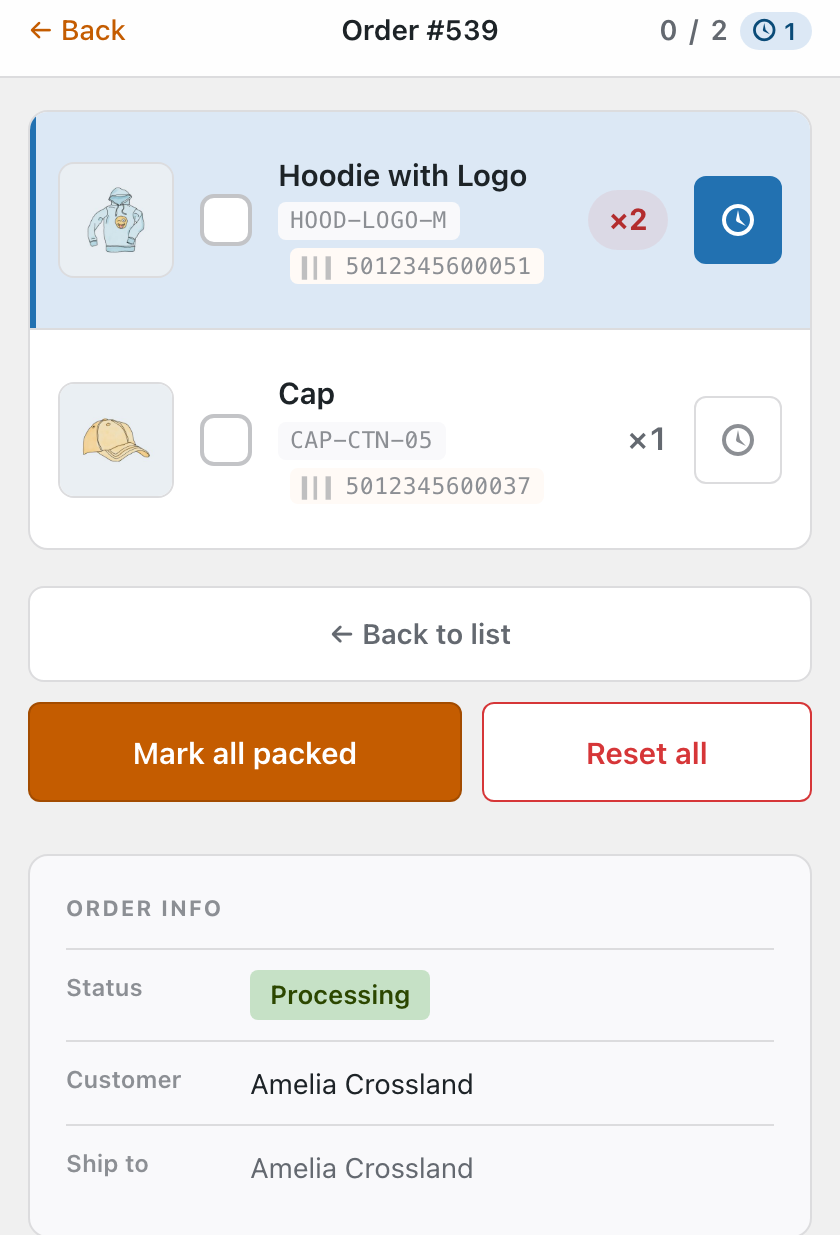
On the checklist, every item has a small clock button next to its checkbox. Tap it to mark that item Awaiting stock:
- The item turns blue and its clock lights up, so it stands out from packed and to-pack rows.
- The top bar gains an awaiting count alongside the packed counter.
- The order’s status flips to Awaiting stock everywhere it’s shown — a single short item blocks the whole order.
Tap the clock again (or use Reset all) once the stock arrives, then carry on packing as normal.
The Awaiting list
Under Packing → Awaiting stock is a single list of everything you’re short on, summed per product across every order. So if three different orders are waiting on the same hoodie, you see one line with the total to chase — not three you have to add up yourself.
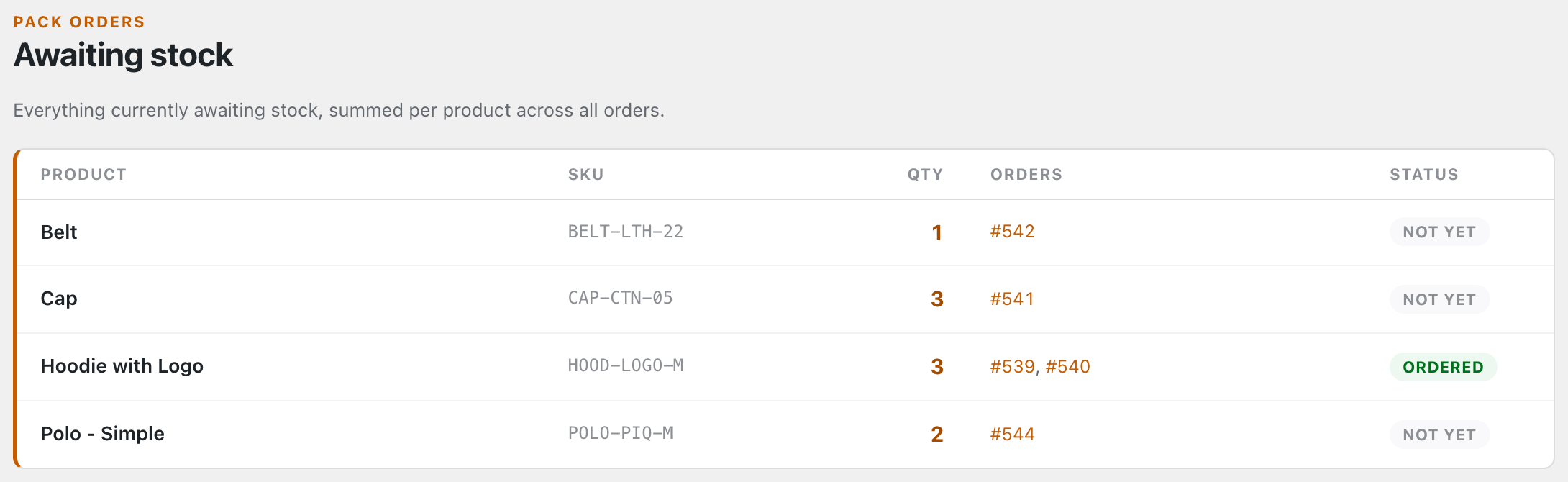
- Qty is the total awaited across all orders; Orders links straight back to each one.
- The Status column — Not yet, Partly ordered or Ordered — is part of Pro, and tracks whether you’ve placed a supplier order for that shortfall yet. On the free plugin the list shows Product, SKU, Qty and Orders.
Want the next item raised with the supplier automatically? Pro turns this list into a re-order workflow →. Or carry on: In the WooCommerce admin →