
Pack Orders
Re-order from suppliers
This is where Pro earns its keep. The Re-order list (under Packing → Re-order list) takes everything you’ve flagged Awaiting stock, groups it by supplier, and walks it through to a placed order and a tracked delivery. It has two sections: To order (shortfalls you haven’t ordered yet) and On order (orders you’ve placed, waiting to arrive).
To order — grouped by supplier
Each supplier gets a card. The header carries the contact details you saved — email, phone, account number — and the total units to order, so whoever places the order has everything to hand. Below it, every awaiting product for that supplier with its SKU, total quantity and the orders waiting on it.
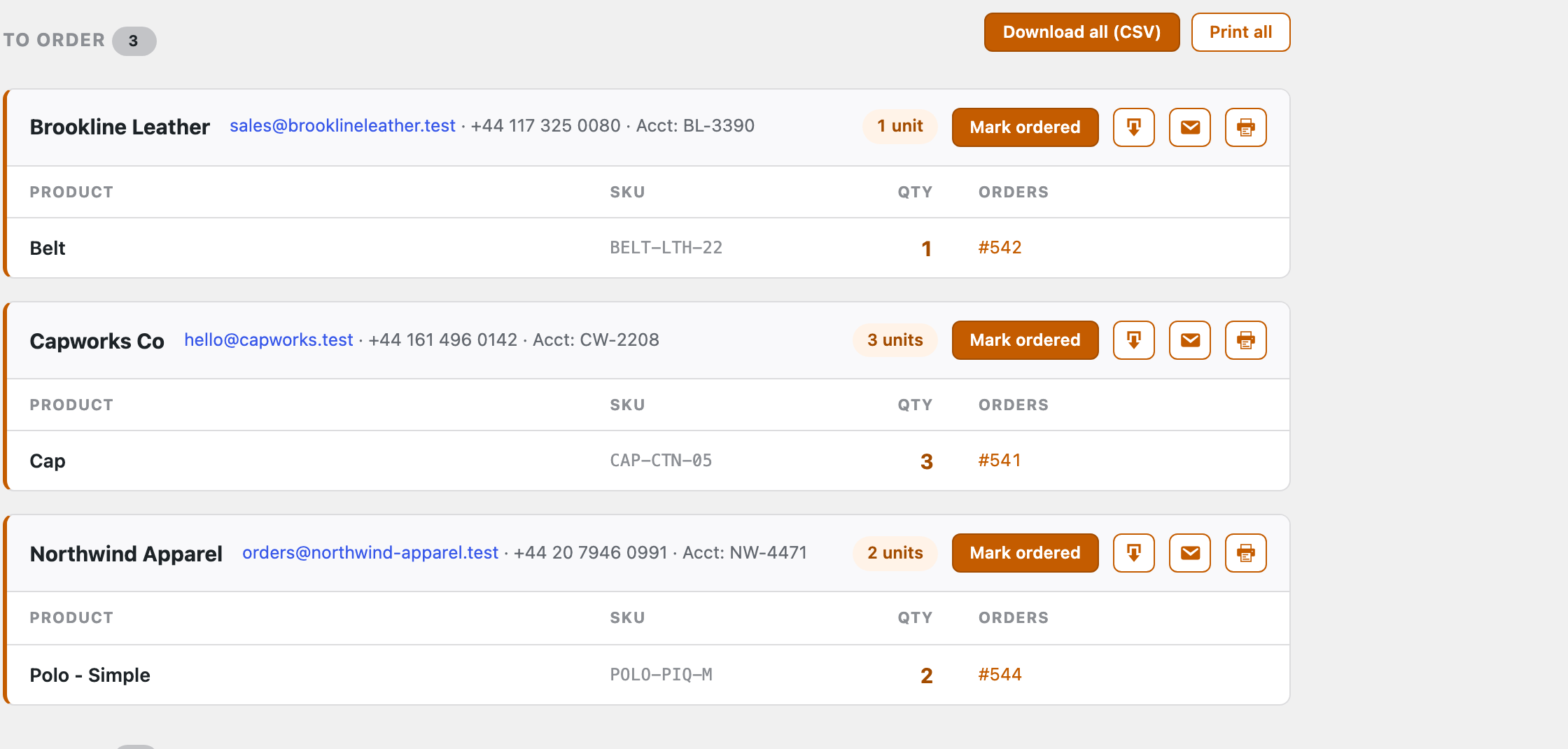
For each supplier you can:
- Mark ordered — files that supplier’s items as a placed order and moves them down to On order.
- Email — opens a pre-addressed message to the supplier (using their saved email).
- CSV and Print — export or print that supplier’s list to send however you order.
- Or use Download all (CSV) / Print all at the top to grab every supplier at once.
Products you haven’t assigned to a supplier still appear here — gathered under an Unassigned group — so nothing slips through.
On order — track it to the shelf
Once you mark a supplier ordered, its items become a tracked order batch in the On order section, badged Ordered. As deliveries arrive you resolve each line:
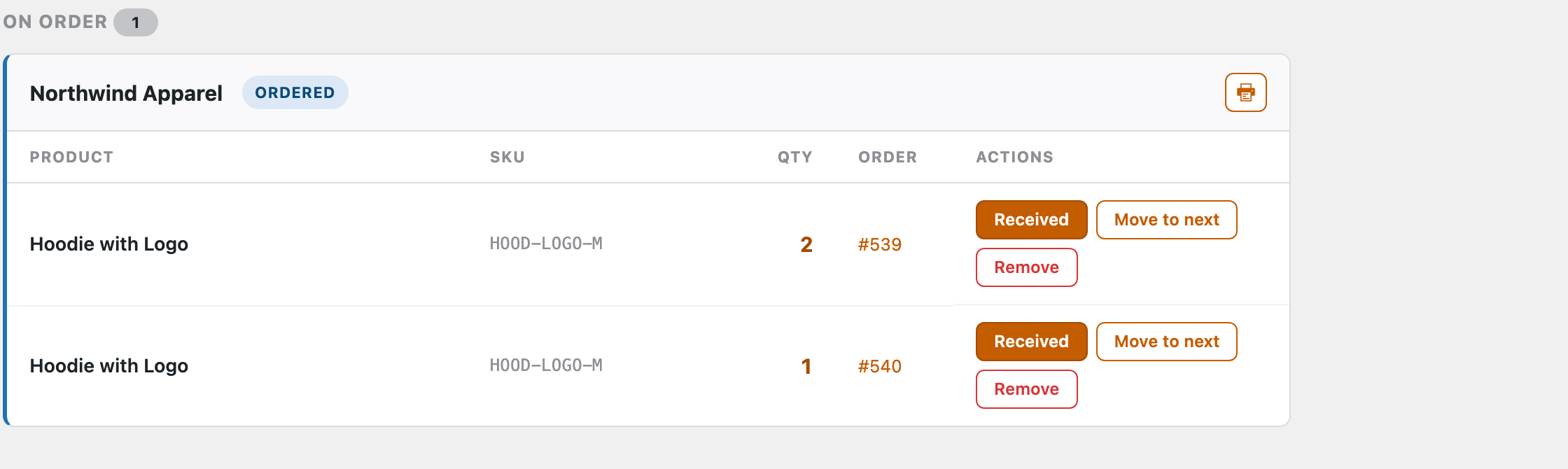
- Received — the stock arrived. The line clears off the awaiting list, ready to pack.
- Move to next — it didn’t come this time; carry it forward so it lands in the next order to that supplier.
- Remove — take the line off this batch (e.g. you cancelled it).
When every line is received the batch is done. Back on the order, the item is no longer awaiting — so you can finish packing it and ship.
Stock’s in and you’ve a pile of orders to pack? Gather it all in one pass: Pick list →