
Pack Orders
Pick list
Packing order-by-order means walking back to the same shelf again and again. The Pro pick list flips it round: it sums every unpacked item across all your orders into one shopping list, so you gather the whole batch in a single pass — then sit down and pack each order from the pile. Find it under Packing → Pick list.
One list for the whole bench
Each product appears once, with a running total and a breakdown of which orders want it. The header tells you the size of the job — products to gather, units in total, and how many you’ve ticked off so far.
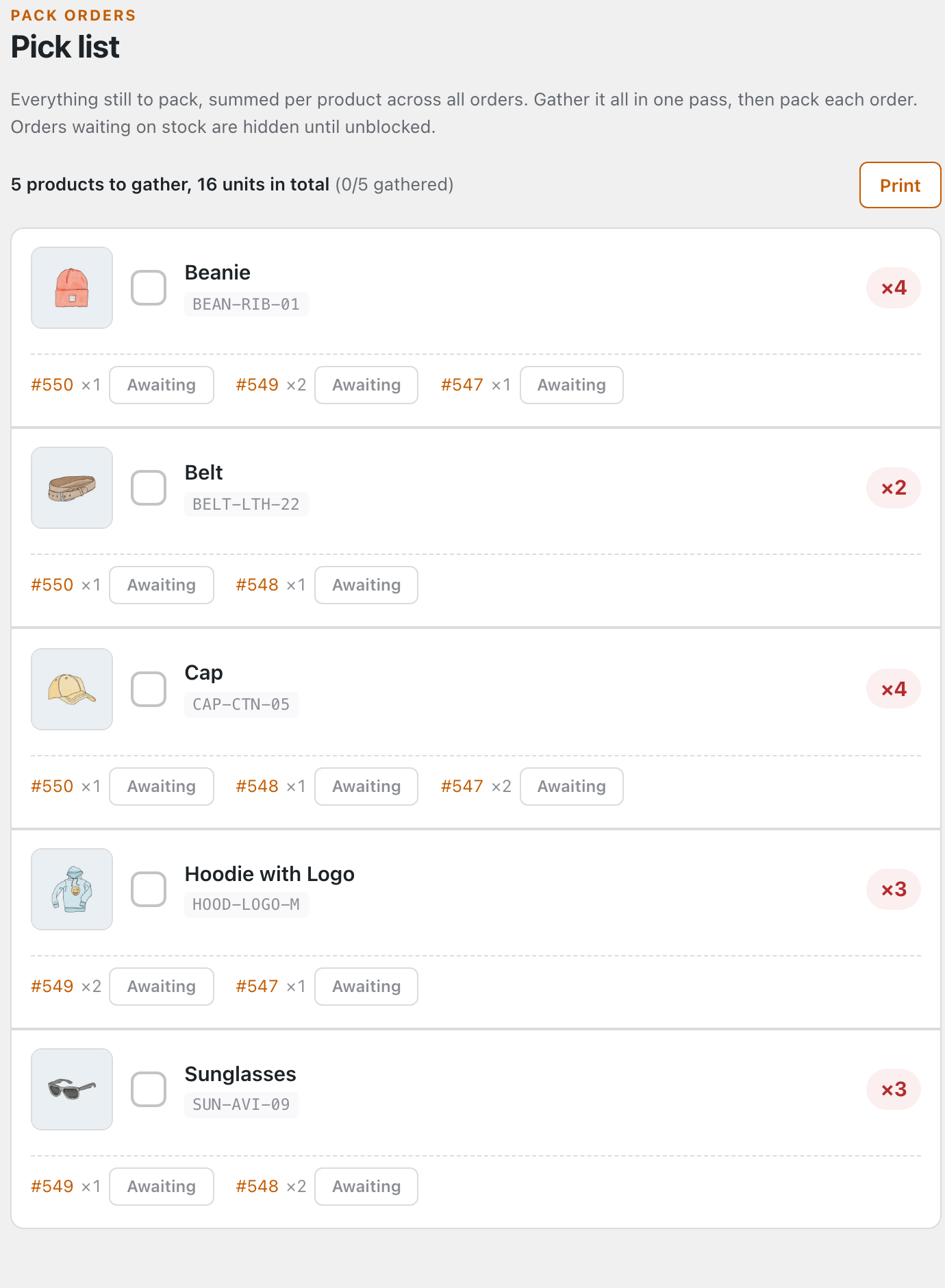
For each product you get:
- The total to gather — the quantity badge sums every order, so you grab four caps once instead of checking four orders.
- A checkbox to tick the product off as you pull it; the “gathered” count at the top climbs as you go.
- The orders waiting on it — each one links back to its checklist, with the quantity that order needs.
- An Awaiting button on every order line — if you reach the shelf and you’re short, flag that order’s item right here without opening it.
Blocked orders stay off the list
An order with anything flagged Awaiting stock is hidden until it’s unblocked — so you never gather stock for an order you can’t ship yet. The moment its shortfall is received and cleared, the order rejoins the pick list automatically. The list always reflects what you can actually pack right now.
Take it to the floor
Print turns the list into a clean paper pick sheet for whoever walks the shelves — no screen needed on the floor. Gather everything, bring it back to the bench, then work through each order’s checklist from the pile. Prefer your phone? With Keep screen awake on, the screen stays lit while you walk the floor with the list.
Want shortfalls flagged for you automatically as stock runs out? Pro can do that too: Auto-flag backorders →