
Pack Orders
How it works
Pack Orders adds a packing checklist on top of your WooCommerce orders. Open an order on your phone at the shelf, tick each item as it goes in the box, and flag anything you’re short on. The order’s packing progress is saved instantly and shared with everyone on the team — so the bench, the shop floor and the back office all see the same picture. It never changes the WooCommerce order status; packing is a parallel layer that sits alongside it.
What happens when you pack an order
- You open an order that’s ready to pack — by default that means any order in Processing.
- You see a checklist of the items to ship, each with its photo, variation, SKU, GTIN and quantity. Virtual and downloadable items are left out.
- You tick each item as it goes in the box. A packed item is struck through; the progress counter at the top climbs.
- If something is missing, you tap the clock to mark it Awaiting stock — the whole order shows as blocked so it can’t ship short.
- When every item is ticked, the order reads Packed. Its WooCommerce status is untouched — you still mark it Completed however you normally do.
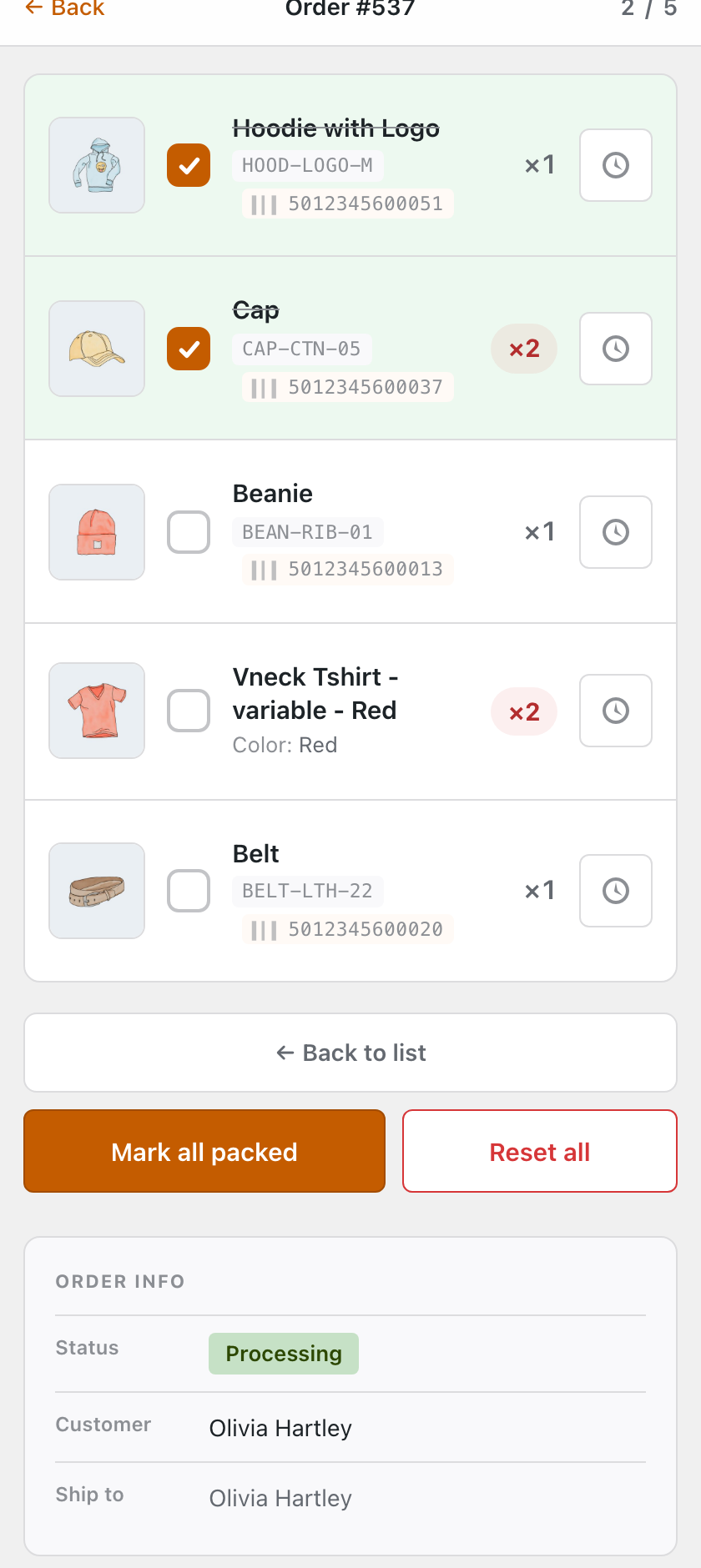
The four packing states
Every order has a packing status that Pack Orders works out from the items themselves — you never set it by hand, so it can’t drift:
- To pack — nothing ticked yet. A fresh order starts here.
- Partly packed — some items ticked, some still to go.
- Awaiting stock — at least one item is flagged short. This wins over everything else, so a single missing item blocks the whole order.
- Packed — every shippable item is ticked and nothing is awaiting.
You’ll see this status as a colour-coded badge on the Packing list, on the WooCommerce Orders screen, and in the order’s own Packing panel — so progress is visible wherever you look without opening each order.
What you’ll need
- WooCommerce 7.0 or newer, on WordPress 6.5+ and PHP 7.4+. Works with both High-Performance Order Storage and the classic order storage.
- Orders to pack — anything in a packable status. Processing is the default; you can add others in Settings.
- Any device — phone, tablet or desktop. Start on one and finish on another; the packed state is shared, not stored on the device.
Everything happens inside your own store — nothing about an order is sent to an outside service. Every screen requires the same permission WooCommerce uses to edit orders, so only your staff can pack.
Ready to pack one? Pack an order →