
Pack Orders
Settings
There’s almost nothing to configure — Pack Orders works out of the box. The one setting most stores touch is which order statuses count as “ready to pack”. You’ll find it under Packing → Settings.
Which orders are packable
The Order statuses card lists every WooCommerce order status with its slug. Tick the ones you pack from — orders in those statuses show up on the Packing list and get a badge on the Orders screen; everything else is left alone. Processing is ticked by default, which suits most stores.
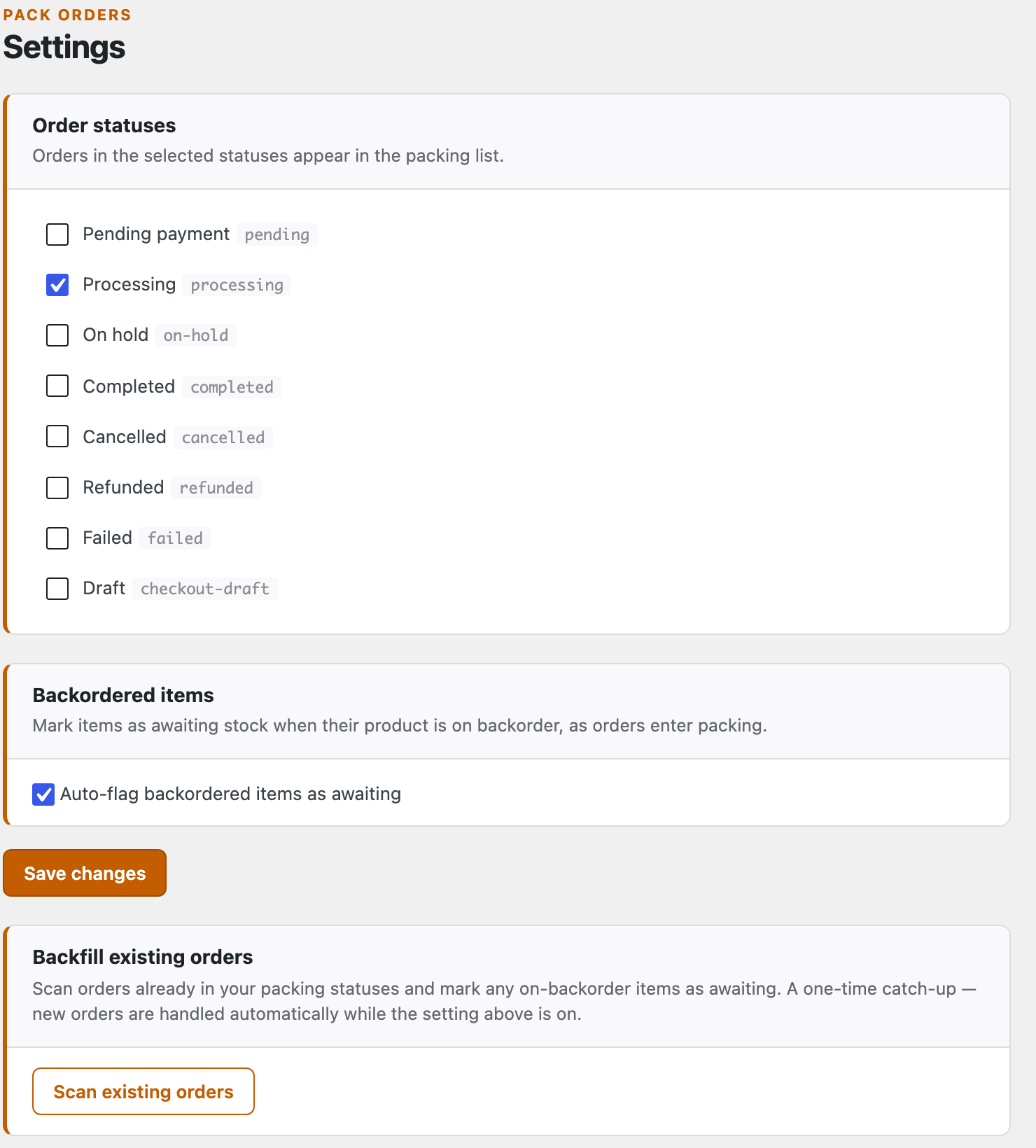
A few common tweaks:
- Pack from On hold too (for bank-transfer or manual orders)? Tick it as well.
- Keep an order in Processing until it ships, then mark it Completed yourself — Pack Orders never changes the status for you.
- Tick more than one status to pack across several at once; the Packing list pools them all.
Press Save changes and the Packing list updates straight away.
Keep screen awake
Phones dim and lock after a few seconds, which is exactly when you have both hands in a box. The Keep screen awake card, below Order statuses, keeps the screen lit while the packing checklist is open. It’s Off by default; pick how long it should stay on after your last tap:
- Off — your phone’s normal auto-lock applies.
- 2 minutes after the last tap, 5 minutes after the last tap or 10 minutes after the last tap — the screen stays on while you work, then goes back to normal once you stop. Your next tap turns it on again.
It’s one setting for the whole store and applies to the packing checklist (and, with Pro, the pick list). Other screens, and leaving the page, give the phone its normal auto-lock back.
It needs your site on HTTPS and a recent browser (Safari on iOS 16.4+, Chrome on Android, or any current desktop browser); where it isn’t supported it simply does nothing. On iPhone the screen stays on from your first tap on the page, and Low Power Mode may stop it. Screen still going dark? See Troubleshooting.
Backorder handling Pro
With Pro active, two more cards appear here: Backordered items (a single toggle to auto-flag on-backorder items as awaiting) and Backfill existing orders (a one-time scan that catches up your current orders). Both are covered in full on the backorders page. On the free plugin, Settings shows just the Order statuses and Keep screen awake cards.
That’s the whole of the free setup. Next, the Pro side starts here: Suppliers →