
Pack Orders
Auto-flag backorders
Flagging shortfalls by hand works, but it relies on you noticing. If a product has slipped onto backorder, you might tick it as packed before you realise the shelf is empty. With Pro, Pack Orders can watch your stock for you and flag those items automatically — two cards on Packing → Settings control it.
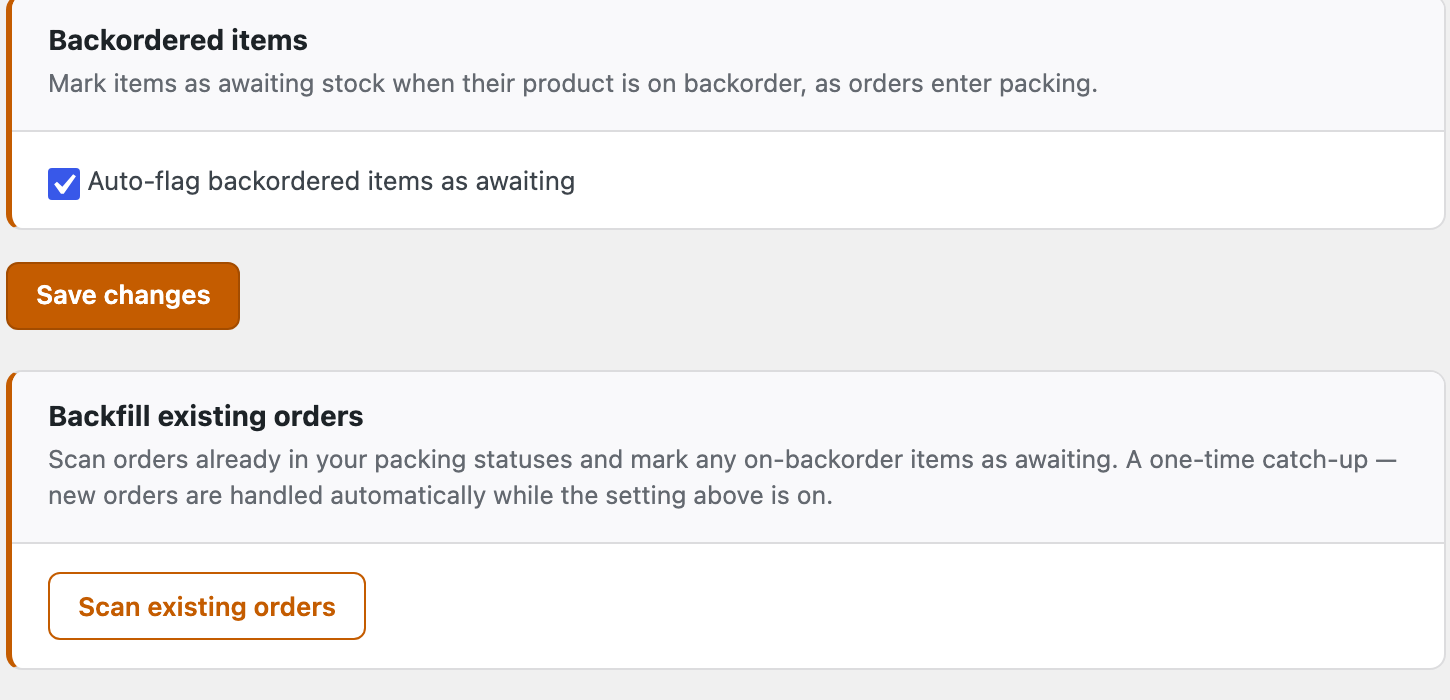
Flag backorders as orders come in
Tick Auto-flag backordered items as awaiting and save. From then on, whenever an order enters a packable status, Pack Orders checks each item: if its product is currently on backorder, the item is flagged Awaiting stock for you — so it lands on the Awaiting and Re-order lists without anyone ticking a clock.
Two rules keep it out of your way:
- It reads the product’s live stock status — only genuinely on-backorder products are flagged. A product that allows backorders but is in stock is left alone.
- It only ever touches items still untouched — anything you’ve already packed, flagged or resolved is never changed. It sets awaiting; it never clears it. Your manual decisions always win.
An auto-flagged item looks exactly like one you flagged yourself — same blue row, same clock — so you work it the same way. When the stock arrives, clear the flag and pack as normal.
Catch up on orders you already have
Switching the toggle on only affects orders from now on. To sweep the orders already sitting in your packing queue, use Backfill existing orders → Scan existing orders. It runs the same rule across every order in a packable status and tells you what it found:

It’s a one-time catch-up — once you’ve run it, new orders are handled automatically while the toggle is on, so there’s no need to scan again. Very large stores are scanned newest-first in batches; if you’re told only the most recent orders were covered, just run it again to continue.
That’s the whole feature set. If something isn’t behaving, the last stop has answers: Troubleshooting →